Everything you need to revise, in one place
BrightStudy turns what your course gives you into notes, flashcards and exam-style questions, then helps you revise them at the right time and see your progress.
Find the feature you need
21 features in five groups. Pick a group above, or scroll through them all.
Create your study materials
Bring your sources together and turn them into resources you can use.
6 features
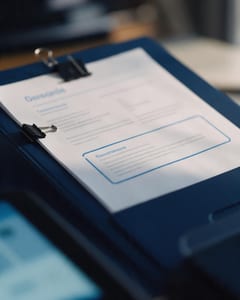
Study Docs
Structured notes you can read, edit and study from.
Learn more →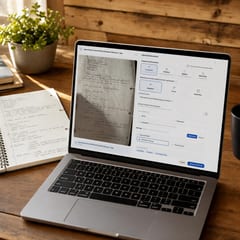
Document Uploads
PDFs, slides and typed or handwritten notes.
Learn more →
YouTube Learning
Turn video lessons into study materials.
Learn more →
Recordings
Record or upload audio for your learning.
Learn more →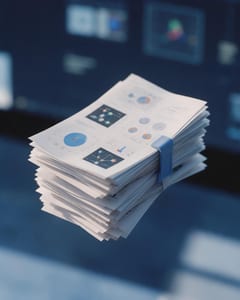
Image Extraction
Bring the figures from your documents into your notes.
Learn more →
Manual Creation
Write your own notes, flashcards and MCQs.
Learn more →Practise and understand
Build recall, test your knowledge and work through difficult ideas.
6 features

Flashcards
Active recall with focused question-and-answer cards.
Learn more →
MCQs
Exam-style questions with answer explanations.
Learn more →
Deep Learning
Explain your understanding and get feedback.
Learn more →
AI Tutors
Ask questions and explore difficult concepts.
Learn more →
AI Explanations
Help understanding answers and remembering ideas.
Learn more →
Spaced Repetition
Revisit your learning with scheduled reviews.
Learn more →Organise and track progress
Keep your resources in order and see where to focus next.
4 features



Connect and share
Discover resources and learn alongside other people.
4 features

Community Library
Study resources shared by the community.
Learn more →
Resource Sharing
Share Study Docs, flashcards and MCQs.
Learn more →
Friends & Messaging
Connect with friends and keep study conversations together.
Learn more →
Study Groups
Bring people and shared resources into a group space.
Learn more →Make it your own
Create a study space that feels like yours.
2 features


One study system, from notes to exam day
Each feature does one job well, and they all work from the same material.
- 1
Upload
Bring in slides, PDFs, handwritten notes, recordings or YouTube.
- 2
Transform
Digitise, summarise or enhance into an editable Study Doc.
- 3
Practise
Exam-style MCQs that adapt as you learn.
- 4
Remember
Flashcards on spaced repetition, timed for your exam.
- 5
Improve
Progress shows what is working and what to do next.
Questions, answered
The quick answers before you start.
Try BrightStudy free and upload your first document, or email us at support@brightstudy.ai.
What does BrightStudy do?
What can I upload?
Is there a free plan?
Which levels is it for?
Start revising smarter today.
Upload your first notes and see your Study Doc, flashcards and questions in minutes.
- Free plan to get started
- Study Docs, flashcards and MCQs
- Runs in your browser