We help students learn from their own material
BrightStudy turns lecture slides, handwritten notes, recordings and reading into Study Docs, flashcards and exam-style questions, then helps you revise them at the right time and see where you stand.

Why we built it
Your course gives you a lot. Revision should not start from zero.
Slides, papers, handouts, lecture recordings and pages of your own notes pile up fast. Most study apps ask you to start again from blank cards. BrightStudy starts from what you already have.
Your material first
Everything is built from the documents, notes and lectures you bring, not a generic question bank.
Understanding, not just recall
Questions change as you master them, and Deep Learning asks you to explain ideas in your own words.
Revision at the right time
Spaced repetition brings each card and question back just before you would forget it, and speeds up before your exam.
Made for real exams
Questions follow your level, course and exam board, from GCSE command words to professional exam styles.
One place for everything
Notes, cards, questions, recordings, calendar and progress live together, so nothing gets lost.
From what you are given to what you know
One study system, built around how revision actually works.
- 1
Bring it in
Upload slides, PDFs, photos of notes, recordings or a YouTube lecture.
- 2
Transform it
Digitise, summarise or enhance into an editable Study Doc.
- 3
Practise it
Flashcards and exam-style MCQs made from your notes.
- 4
Remember it
Spaced repetition schedules every review for you.
- 5
Track it
Progress shows what is working and what to do next.
Built for every stage of study
From Key Stage 2 to postgraduate research and professional exams. Each stage has its own guide.
7 stages · hover to explore
 PrimaryKey Stages 1 and 2Learn more →
 GCSESecondary school and GCSEsLearn more →
 A levelSixth form and A levelsLearn more →
 Further educationVocational and college coursesLearn more →
 UniversityUndergraduate degreesLearn more →
 PostgraduateMasters, PhD and professional examsLearn more →
 Adult learningOnline and lifelong learningLearn more →
How we check what we make
AI makes revision faster. These are the checks that keep it accurate and fair.
Mapped to real curricula
We researched 277 courses and 9,518 topics from exam boards, the QAA and professional regulators.
Written for your level
Your study profile sets the terminology, depth and question style for everything we write.
Checked twice
Every question set gets an automatic giveaway check and an independent AI review.
- No “all of the above”
- Every option explained
Sources and fact checks
Official Library docs cite their sources, and you can fact-check any Study Doc yourself.
The principles behind every feature
The rules we build BrightStudy by.
Honest about AI
We say what the AI does, check what it makes, and never present questions as official past papers.
Private by default
Your Vault is yours. We do not sell your content or use it to train AI models.
Free to start
Every account gets a monthly AI allowance, so you can try the AI tools before you pay.
Your work stays yours
Download your original files at any time, and delete your account and content when you choose.
Built for real courses
Features follow how students actually revise, from first upload to exam day.
Only what works
We describe features that are live today, not ideas on a roadmap.
Private by default, in your control
The detail is in our privacy policy. Here is the short version.
Your Vault
Choose it if
You upload notes, recordings and files.
You get
Only you can see them. Nothing is published unless you choose to share it.
See how it works ↓No AI training
Choose it if
You worry where your notes end up.
You get
We do not sell your content or use it to train our own or anyone else’s general AI models.
See how it works ↓Secure by design
Choose it if
You want to know how it is protected.
You get
Encrypted HTTPS connections, passwords stored only as one-way hashes and secure sign-in cookies.
See how it works ↓Sharing
Choose it if
You want to help other students.
You get
Share with friends or publish to the Community Library, reviewed before it goes live.
See how it works ↓One study space for your whole course
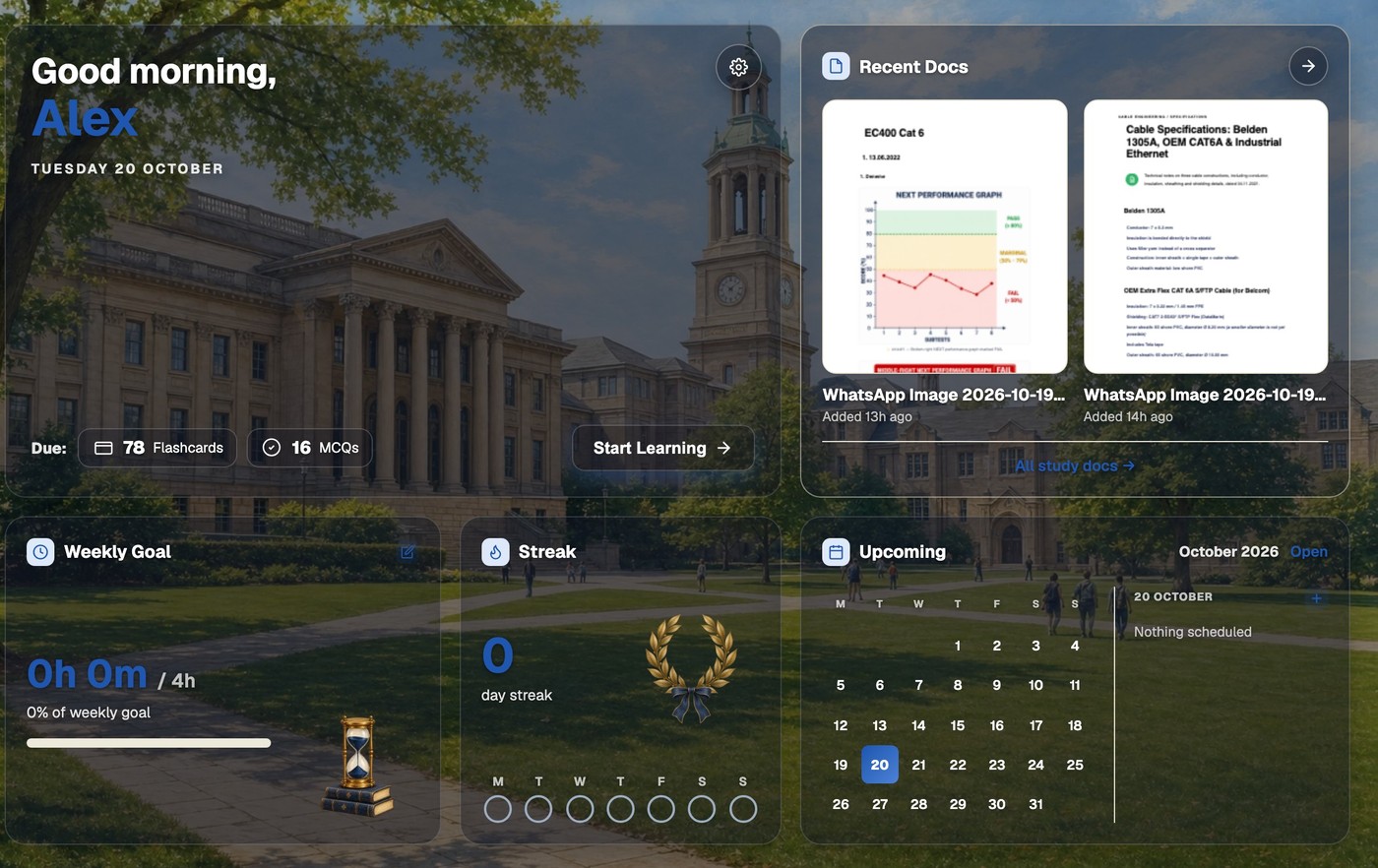
Your dashboard brings together what is due today, your weekly goal and streak, your recent Study Docs and what is coming up in your calendar, in one of 12 themes. Browse every tool on the features page, or read the answers to common questions in our FAQ.
Questions, answered
The quick answers. For everything else, see the full FAQ.
Try BrightStudy free and upload your first document, or email us at support@brightstudy.ai.
What is BrightStudy?
Who is BrightStudy for?
How is BrightStudy different from other flashcard apps?
Is BrightStudy free?
Do you use my notes to train AI?
How old do I need to be?
How do I contact BrightStudy?
Explore BrightStudy
Move across the strips · tap one to explore
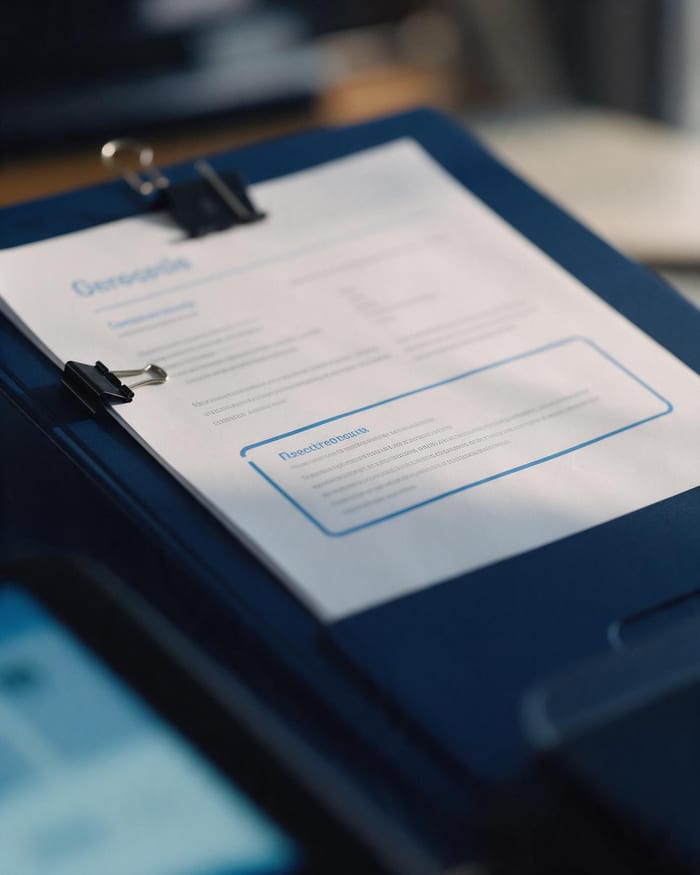 Study DocsStructured notes you can read, edit and study from.Learn more →
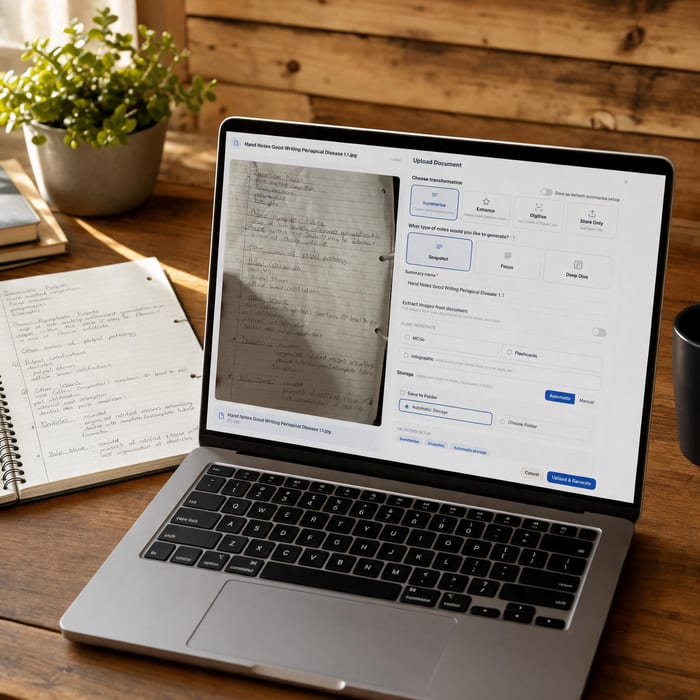 Document UploadsPDFs, slides and typed or handwritten notes.Learn more →
 FlashcardsActive recall with focused question-and-answer cards.Learn more →
 MCQsExam-style questions with answer explanations.Learn more →
 AI TutorsAsk questions and explore difficult concepts.Learn more →
 Spaced RepetitionRevisit your learning with scheduled reviews.Learn more →
 Community LibraryStudy resources shared by the community.Learn more →
Learn from what you already have.
Upload your first notes and see your Study Doc, flashcards and questions in minutes.
- Free plan to get started
- Study Docs, flashcards and MCQs
- Runs in your browser