Revise each card just before you forget it
BrightStudy schedules every flashcard with FSRS, a modern spaced-repetition algorithm. Easy cards drift further apart, hard ones come back sooner, and everything speeds up as your exam gets close.

How it works
The right card, on the right day
Every time you answer a card, BrightStudy updates how well you know it and works out when to show it next. You spend your time on what you are about to forget, not on what you already know.
Rate how well you recalled it
Three buttons: Incorrect, Almost or Correct. Each one shows when you will see the card again, such as “Due in 3d”.
Wrong cards come straight back
Miss a card and it returns in about ten minutes, in the same session.
Gaps grow as memory strengthens
Each correct answer pushes the next review further away, from days to weeks to months.
One due queue
Open BrightStudy and see what is due today across every deck, most overdue first.
MCQs too
Practice questions use the same scheduler, so cards and questions arrive on the same rhythm.
Study what matters today
Start from whatever helps most right now. Hover a card to see what each session gives you.

01
Due today
Every card the scheduler says is due, across all your decks, most overdue first.

02
Weak cards
The cards you got wrong last time, together in one focused session.

03
A deck
Study one subject or subdeck, in the order you choose.

04
One Study Doc
Study just the cards made from one Study Doc, straight from the doc.
Three buttons, one smart schedule
After you reveal the answer, tell BrightStudy how it went. Prefer to type? Switch on Type answer and AI marks what you wrote by meaning, not spelling, then you can still override the verdict.
Study your way
Example flashcard
What does ADH do in the collecting duct? → It inserts aquaporin-2 channels, so more water is reabsorbed.
Incorrect
- The card comes back in about ten minutes, in this session.
- Its schedule restarts from a short interval, so you relearn it properly.
Almost
- You got there, but it was hard.
- The next review comes a little later, but sooner than a confident answer.
Correct
- A confident recall.
- The gap before the next review grows, from days to weeks and then months, as the card gets stronger.
Watch every card climb to Mastered
Each card has a mastery level worked out from its schedule, so you can see at a glance how much of a deck you really know.
New
Not studied yet.
Relearning
Recently forgotten and coming back soon.
Learning
In its first short steps.
Reviewing
On a growing schedule.
Strong
Three or more correct answers and a week or more between reviews.
Mastered
Five or more correct answers and a month or more between reviews.
Your schedule tightens as the exam gets close
Tell BrightStudy when your exam is and the scheduler plans around it. Exam-aware scheduling is on by default.
Add your exam date
Add an exam in the calendar or set an exam date on a document in your Vault.
30-day ramp
In the last 30 days, target recall rises steadily to 95%, so you review more often.
No review lands too late
Gaps are capped to a share of the days left, so nothing is scheduled after the exam.
Cards pulled forward
Flashcards already scheduled past the cap are brought forward when you add the exam.
Fewer reviews, or a stronger memory
Choose how hard the scheduler works in Settings. Higher targets mean shorter gaps and more reviews.
80–85% recall
Choose it if
Your time is tight and you can accept forgetting a few more cards.
You get
Far fewer reviews each day.
See how it works ↓90% recall
Choose it if
You want the recommended balance.
You get
The default: steady reviews and good retention.
See how it works ↓92–95% recall
Choose it if
The material really matters.
You get
More frequent reviews and stronger recall.
See how it works ↓Maximum interval
Choose it if
You never want a card to disappear for too long.
You get
A cap on the longest gap, 365 days by default.
See how it works ↓Help without giving the answer away
Stuck on a card? Ask for help in the session, and save the memory cues that work for you.
Hint
One sentence that points you the right way without the answer.
Think about which channels let water cross the duct wall.
Memory cue
A short hook you can edit and save on the card.
“ADH adds doors”: more aquaporin doors, more water back in.
Explain further
A deeper explanation of the idea behind the card.
ADH binds receptors on collecting duct cells, which insert aquaporin-2 into the membrane, so water follows the medullary gradient.
From your notes to long-term memory
Cards are made from your own material, so you revise exactly what your course covers.
- 1
Upload your notes
Slides, PDFs, handwritten pages, recordings or a YouTube lecture.
- 2
Tick flashcards
Get cards with any upload, or make them later from a Study Doc or the deck editor.
- 3
Review what is due
Open your due queue each day, most overdue first.
- 4
Grade and move on
Incorrect, Almost or Correct, and the scheduler plans the next review.
- 5
Watch it stick
A session summary shows your results and time spent.
Built for daily review
Short daily sessions, clear next steps, and settings that fit how you study.
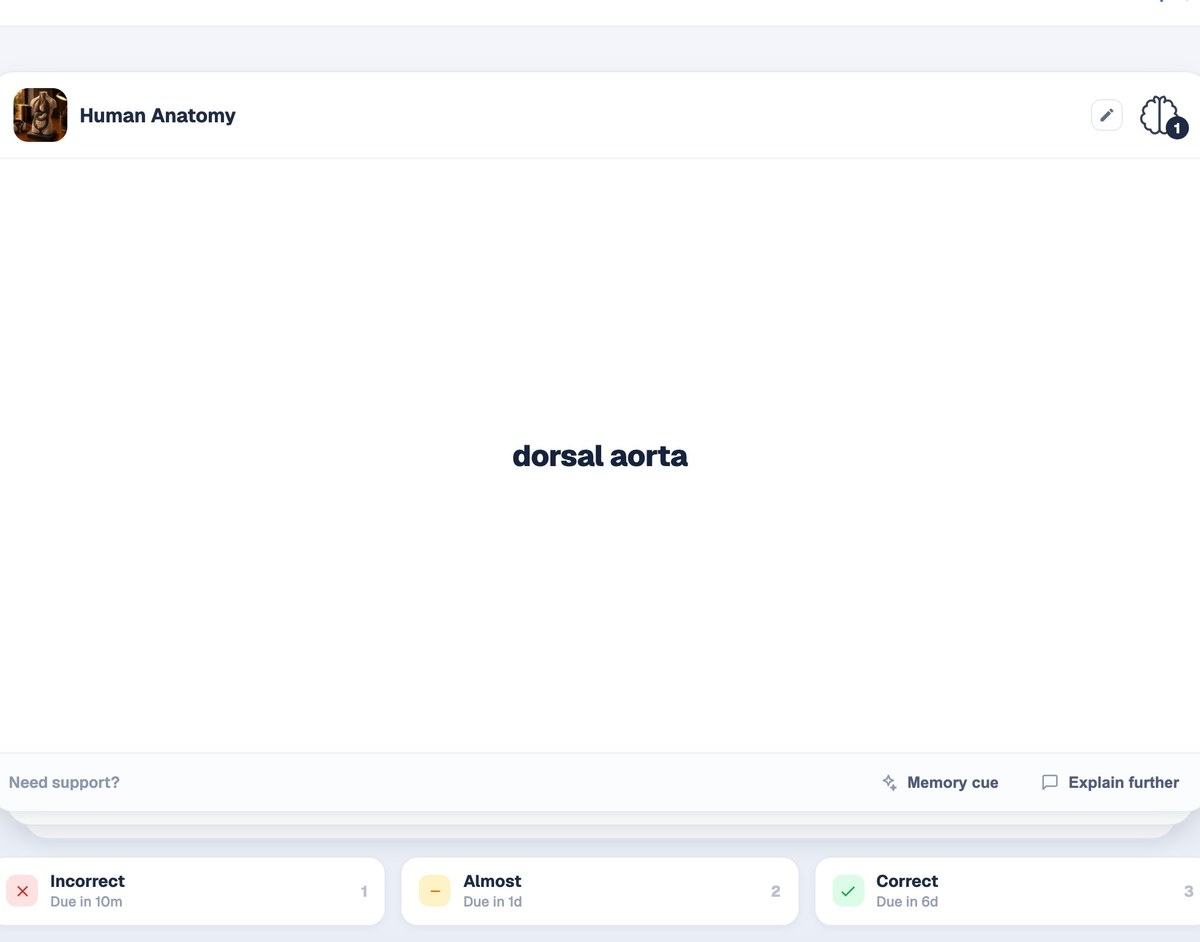
Grade with one key
Each button shows exactly when the card will be back.
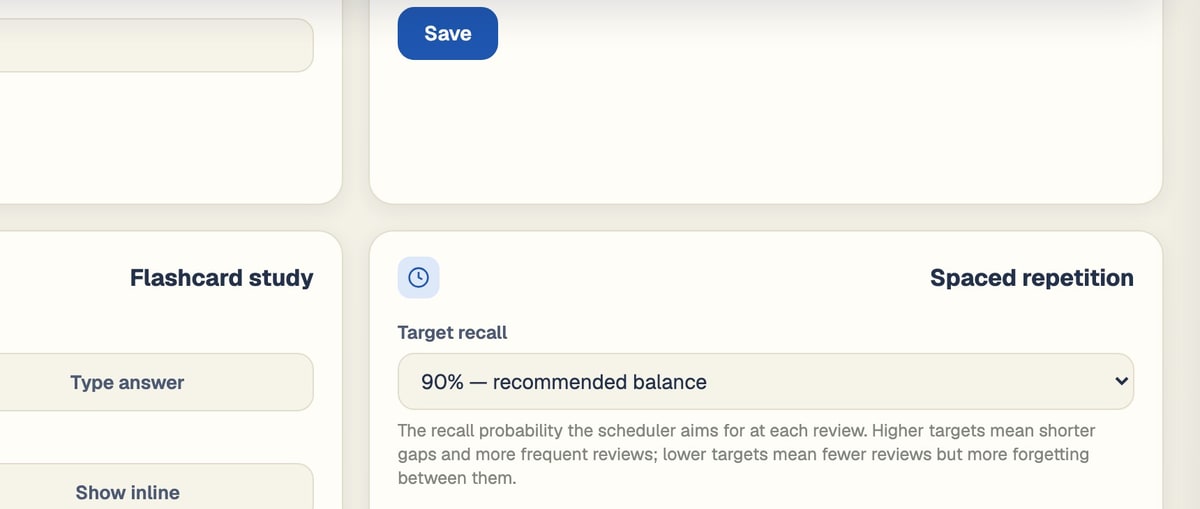
Your recall settings
Target recall, maximum interval and exam-aware scheduling.
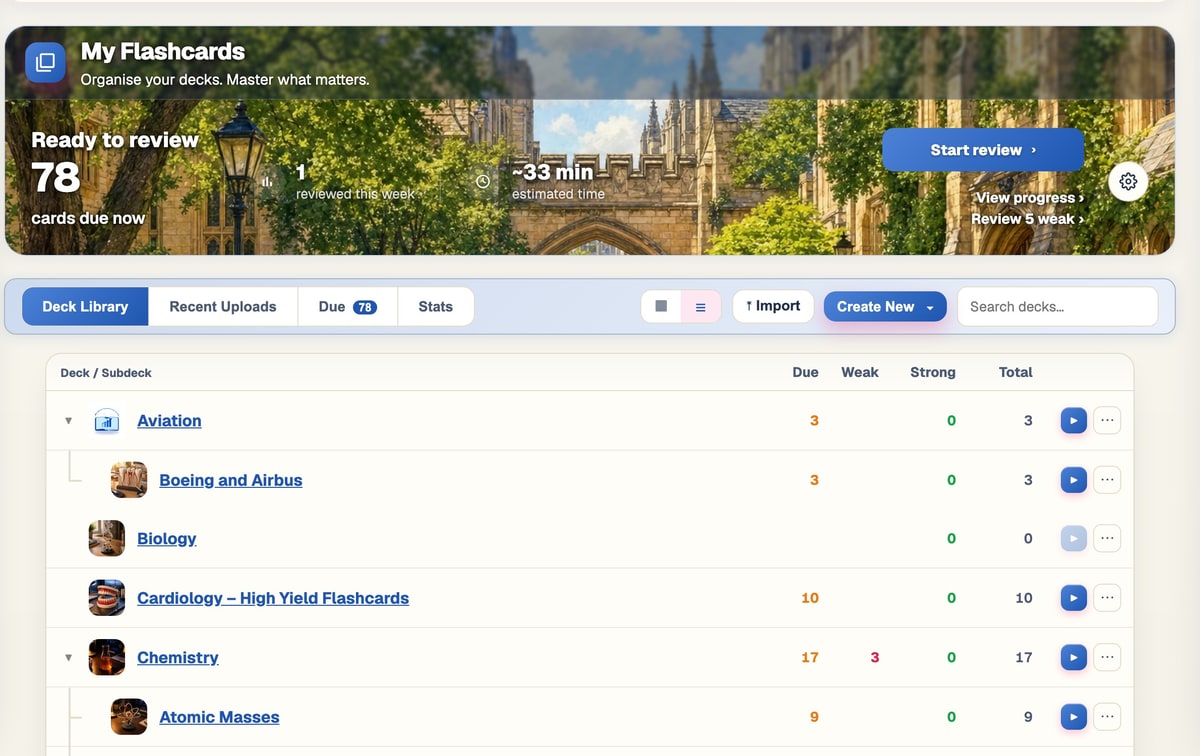
Every deck at a glance
Due, weak and strong cards for each deck.
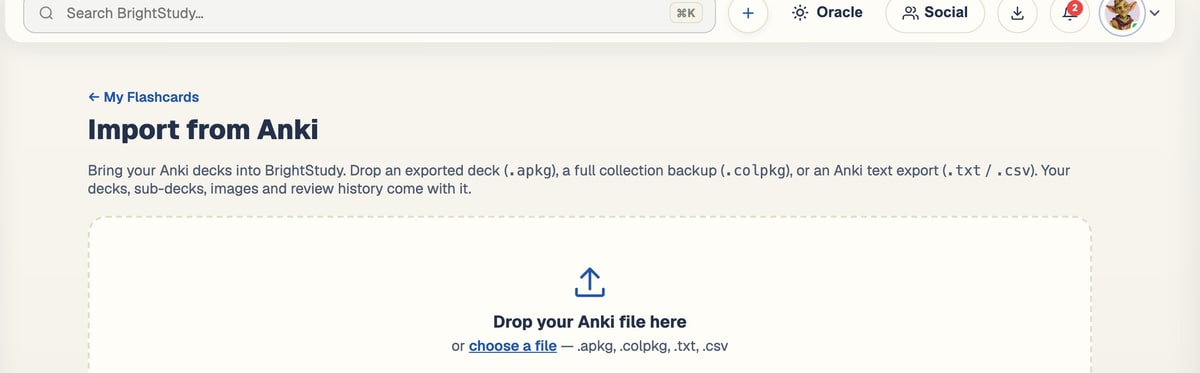
Bring your Anki decks
Import .apkg, .colpkg and text exports, and keep the progress you already made.

Coming from Anki?
Bring your decks, keep your progress
Import your existing Anki collection and carry on where you left off.
Formats
.apkg and .colpkg packages, plus Anki text exports (.txt and .csv), in older and newer formats.
Images included
Card images up to 10 MB come across with the cards.
Progress carries over
Each card keeps its current state and due date, so nothing starts again from zero.
Undo any import
Changed your mind? Undo removes the imported cards and any empty decks it created.
Questions, answered
How BrightStudy decides when you see each card, and how to make it work for you.
Try BrightStudy free and upload your first document, or email us at support@brightstudy.ai.
What is spaced repetition?
Which algorithm does BrightStudy use?
What do Incorrect, Almost and Correct do?
Can I type my answers instead?
How does it work with my exam date?
Can I import my Anki decks?
Do MCQs use spaced repetition too?
Is spaced repetition free?
Explore the rest of BrightStudy
Move across the strips · tap one to explore
 FlashcardsActive recall with focused question-and-answer cards.Learn more →
 MCQsExam-style questions with answer explanations.Learn more →
 Deep LearningExplain your understanding and get feedback.Learn more →
 AI TutorsAsk questions and explore difficult concepts.Learn more →
 AI ExplanationsHelp understanding answers and remembering ideas.Learn more →
 Study DocsStructured notes you can read, edit and study from.Learn more →
 Document UploadsPDFs, slides and typed or handwritten notes.Learn more →
Remember more, review less.
Let FSRS plan your reviews so every session counts, right up to exam day.
- Free plan to get started
- Study Docs, flashcards and MCQs
- Runs in your browser