A study space that feels like yours
Pick one of 12 illustrated themes and the whole of BrightStudy follows it: your dashboard, sidebar, cards and colours. Then choose the AI tutor you want by your side.
Find the one that feels right
These are real BrightStudy dashboards. Hover each one to see what makes it different.
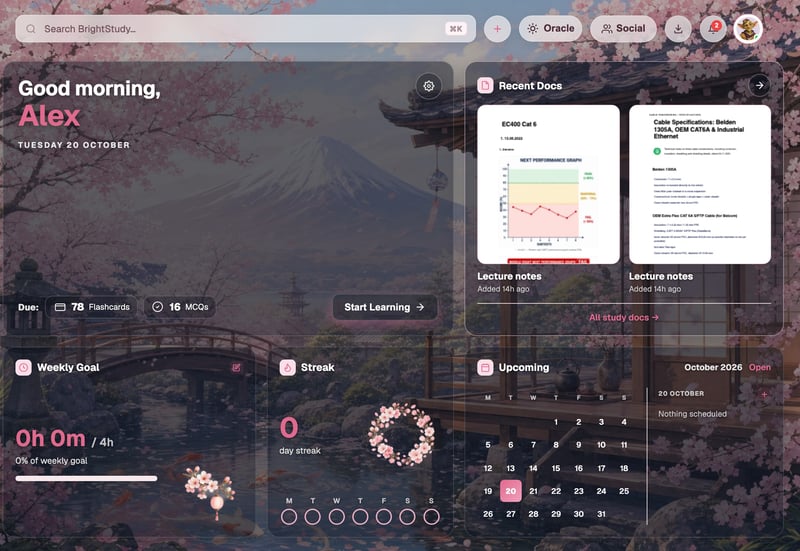
01
Cherry Blossom
Soft pinks and a quiet Japanese garden.
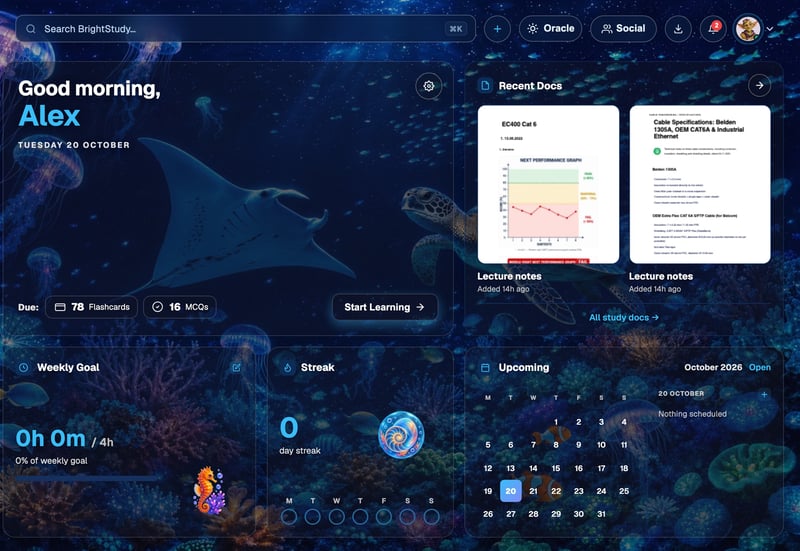
02
Midnight Aquarium
A deep-sea glow for late-night sessions.
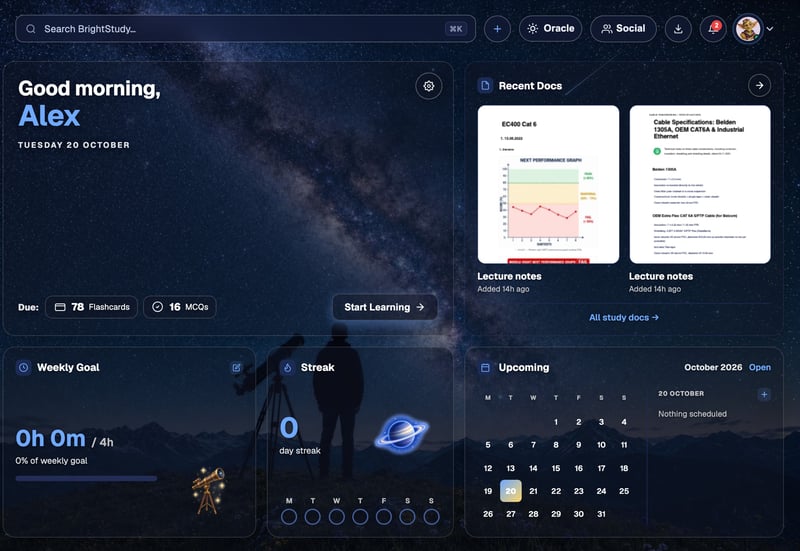
03
Astronomy Sky
Stars, telescopes and a night-sky palette.
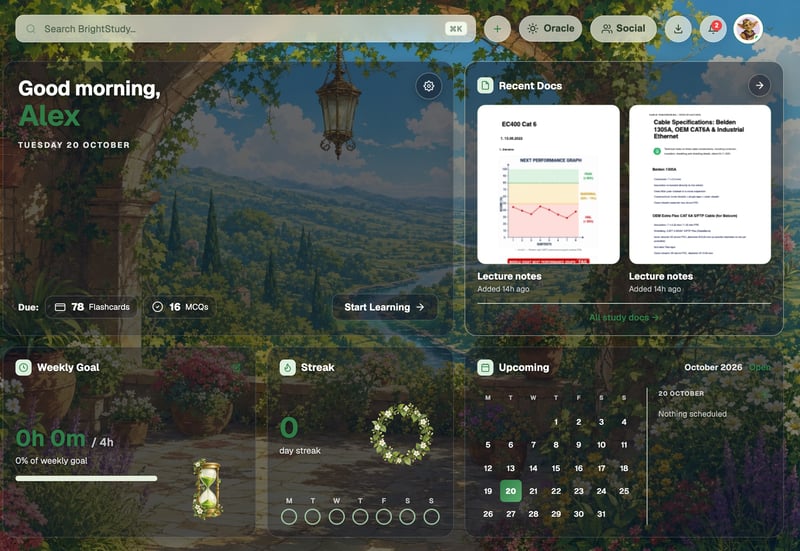
04
Green Woodland
A sunlit garden path and leafy greens.

Everywhere you study
One choice, the whole app
Your theme is not just a wallpaper. Every page built on the BrightStudy layout reads it, so the app feels like one place.
Dashboard
Hero artwork, cards and the theme’s own mascot art.
Every page
Sidebar, top bar, cards and colours follow your theme across the app.
Card style
Rounded cards, or end-to-end for a cleaner look.
Immersive background
Fill the dashboard with the theme’s artwork, or keep it simple.
Reset any time
One button takes your theme, tutor and dashboard back to the defaults.
From calm to
Whether you want a clean workspace or a world to study in, there is a theme for it.
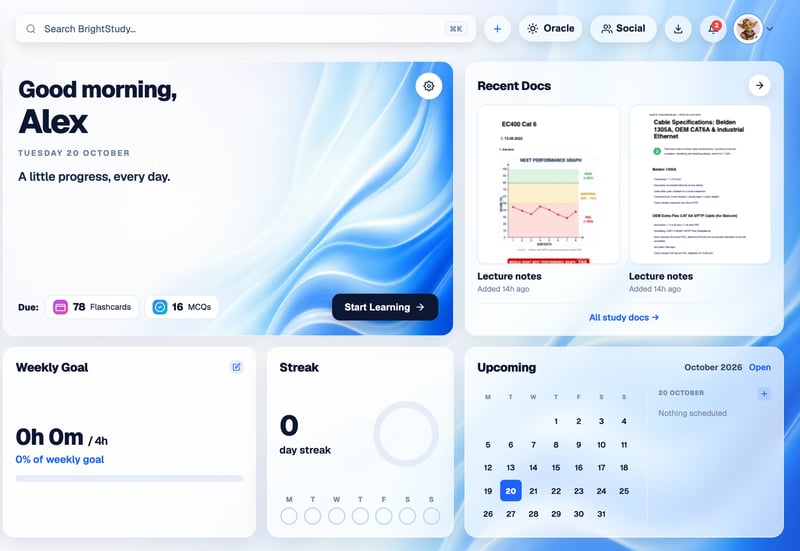
01
BrightStudy Ripples
The clean, bright default.
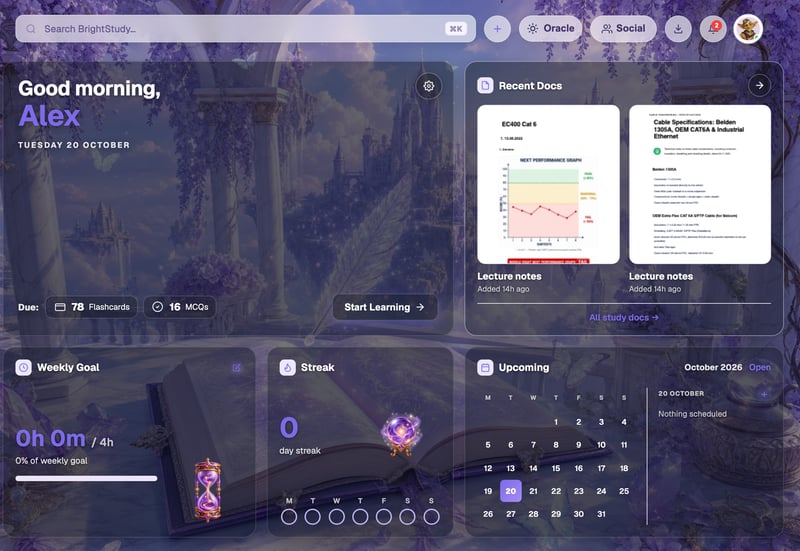
02
Magical Study
Lilac light and an enchanted library.
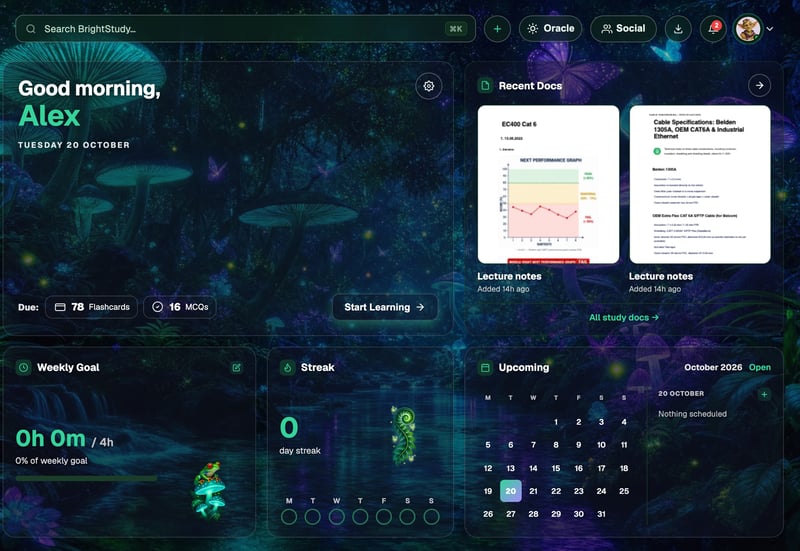
03
Bioluminescent Rainforest
Glowing mushrooms in a midnight forest.
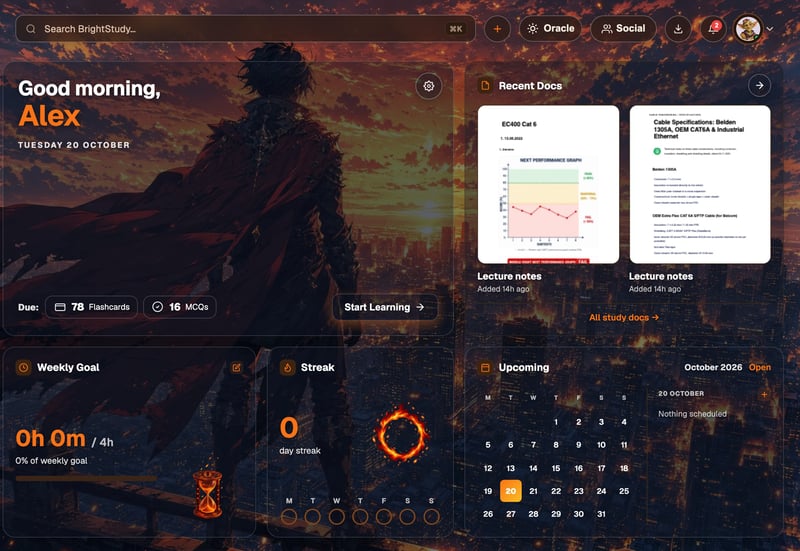
04
Anime Hero Dark
A bold, cinematic anime look.
Twelve themes, three moods
Every theme has its own artwork and colour palette. Switch as often as you like; your work and progress are never touched.
Every theme includes
Calm
- BrightStudy Ripples: the clean, bright default.
- Bright Notes: crisp and paper-like.
- Academic: a classic university feel.
- Clean Glass: light, airy and minimal.
Nature
- Green Woodland: a sunlit garden path.
- Cherry Blossom: a quiet Japanese garden.
- Midnight Aquarium: a deep-sea glow.
- Bioluminescent Rainforest: a glowing midnight forest.
Night and fantasy
- Astronomy Sky: stars and telescopes.
- Magical Study: an enchanted library.
- Anime Hero Dark: bold and cinematic.
- Anime Hero Light: the same hero in daylight.
An AI tutor with a personality
Pick the character you want to study with. Each tutor has its own voice, greeting and way of explaining, and you can change tutor in the Theme Studio at any time.
Oracle
Calm, insightful core intelligence. The default.
“I’m Oracle — a light for your learning. Ask me anything.”
Oracle Fox
Wise spirit guide with sharp insight.
“Oracle Fox here — sharp eyes, calm mind. What shall we untangle?”
Nova Bot
A friendly robot full of positivity.
“Beep! Nova Bot online — let’s light the way to those grades!”
Lumi Sprite
A playful spark of curiosity.
“Hi hi! Lumi here — let’s make some sparks fly!”
Atlas Owl
A patient scholar who sees the big picture.
“Greetings, scholar. Atlas Owl at your service.”
Echo Capsule
Focused insights, right on time.
“Echo Capsule deployed — insights ready when you are.”
Change your look in seconds
No settings pages to dig through. Your theme is always two clicks away.
Open the Theme Studio
Press the gear on your dashboard, or choose Theme from your avatar menu on any page.
Pick a theme
All 12 themes in one grid, each with a preview.
Fine-tune it
Choose your card style, immersive background and tutor.
Done
The page restyles straight away, and your choice is saved.
Questions, answered
How themes and tutors work, and where to change them.
Try BrightStudy free and upload your first document, or email us at support@brightstudy.ai.
How many themes are there?
Where do I change my theme?
Does the theme change the whole app?
Will changing theme affect my work?
Is there a dark mode?
Can I choose my AI tutor?
How do I go back to the default?
Explore the rest of BrightStudy
Move across the strips · tap one to explore
 Avatars & ProfilePersonalise how you appear across BrightStudy.Learn more →
 Study DocsStructured notes you can read, edit and study from.Learn more →
 Document UploadsPDFs, slides and typed or handwritten notes.Learn more →
 YouTube LearningTurn video lessons into study materials.Learn more →
 RecordingsRecord or upload audio for your learning.Learn more →
 Image ExtractionBring the figures from your documents into your notes.Learn more →
 Manual CreationWrite your own notes, flashcards and MCQs.Learn more →
Make it yours.
Choose a theme you love and a tutor you like, and make revision somewhere you want to be.
- Free plan to get started
- Study Docs, flashcards and MCQs
- Runs in your browser